Diamond 4: Improved user interface
< Previous: Searching for structure data
Go to Diamond 4 Features Overview
Next: More new features >
Better integration of the document's different views
In Diamond 3 you had different view types for: structure picture editing, structure picture
thumbnail survey, powder pattern, distances and angles table, and structure data
set table. In Diamond 4 you can now view data sheet or distances table or powder
pattern side-by-side with structure table and thumbnails of other pictures while
you edit a structure picture.
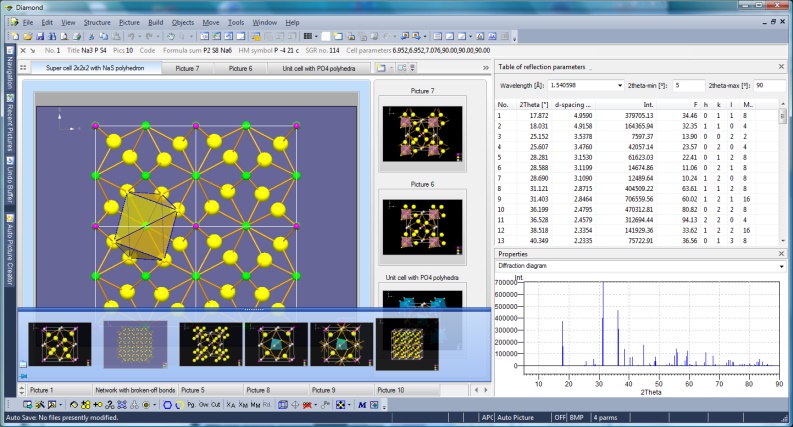
Na3P4S10 sample with ten structure pictures and powder pattern
(Full size image: 377 KB)
Editing a structure picture while glancing at the others
May be you just edit one single structure picture in your Diamond document, but
when you create different views of your structure, may be with various designs for
printing or for a presentation, it is practically to have thumbnails of at least
some of the other pictures at a glance.
Some of them may be more important than the rest - for the moment you are editing.
So you can arrange your preferred pictures on tabs, while you have access to the
residual pictures by link buttons. (This may remind you - not coincidentally - at
tabs in Internet browsers.)
Managing a lot of pictures in your document
The thumbnail preview of the structure pictures - basically already available in
version 3 - offers now a variety of arrangements as simple tiles (just the thumbnail
with the picture title), "content" (atom, bond etc. counts), and "details" with
more detailed infos and structure parameters. The thumbnails can be arranged, sorted,
grouped, or staggered in various ways and their sizes increased smoothly.
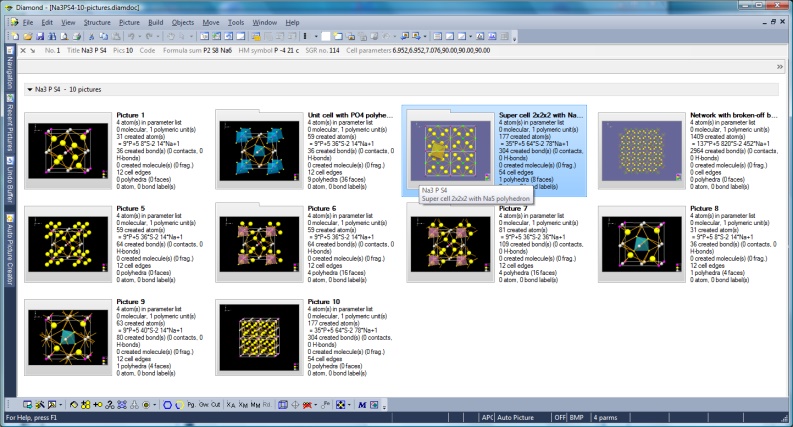
Screenshot of Diamond with Picture viewing type "Content"
(Full size image: 372 KB)
Color coding of structure parameter sets
If you have a lot of different structure parameter sets, e.g. from a database enquiry,
Diamond (optionally) differentiates these sets by color, in the structure table,
in the frames of the picture thumbnails, on the tabs in the picture edit view, and
in the data sheet.
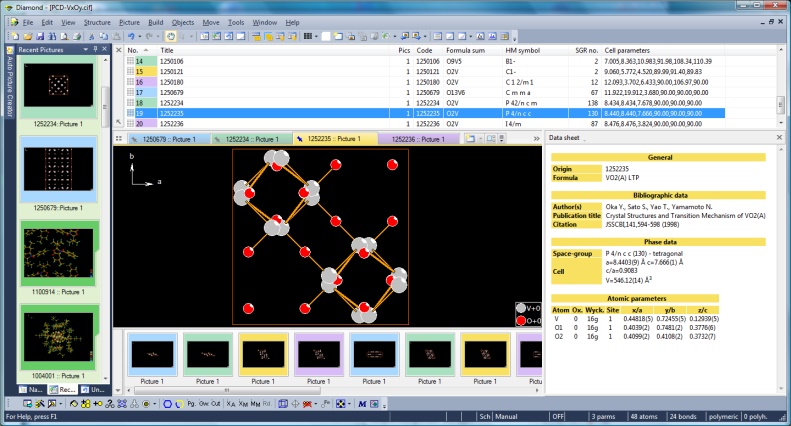
Screenshot of Diamond with binary V-O compounds from Pearson's Crystal Data and
color coding activated and Recent Pictures window docked (Full size image: 318 KB)
Recent pictures: Thumbnails or list of the latest viewed and/or edited structure pictures
A new docking window shows you thumbnails of your latest viewed and/or edited structure
pictures. (This is similar to the history of latest visited web sites in your Internet
browser.) This feature can also be used as a kind of flip-flop to change between
two important pictures in your multiple picture document.
Multiple-step Undo and Redo with thumbnails
The commands Undo and Redo can be done now with multiple steps together, assisted by thumbnail
pictures of the previous conditions (drop-down list from the main toolbar
or another docking window).
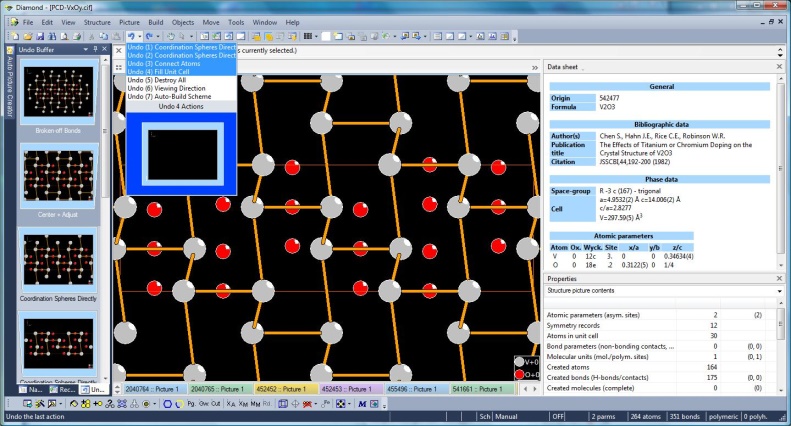
Screenshot with Undo/Redo docking window and Undo drop-down list open, V2O3 from Pearson's Crystal Data (#542477)
(Full size image: 217 KB)
Full screen view of structure picture
If you want to, stretch the structure picture view to your whole screen and experience
the feeling of typical modelling programs on 1990's UNIX workstations (no toolbars,
no menu, no Windows task bar, etc.).
Closer correlation of different views with your structure picture
Powder pattern (reflection parameter table and diffraction diagram), data sheet (configurable, formerly known as "data brief"), or distances table can be shown
beneath the structure picture graphics with enhanced correlation possibilities.
For instance, the distances and angles table can show the distances from the selected (central) atom rather than simply the atoms from the parameter list as central atoms,
with color-coding of critical (too short or long) distances.
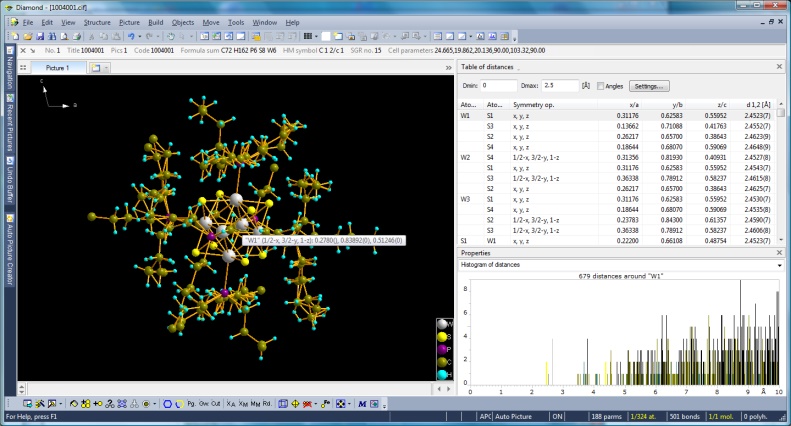
Screenshot of Diamond with distances and angles table and histogram property and central atom selected in structure picture
(Full size image: 308 KB)
New atom list
A new hierarchical list of atom groups, atom sites, and created atoms of structure picture gives you enhanced access to single or some atoms or some or all atoms of
a site or group,
e.g. to edit properties and designs or to select them. An alternative
hierarchy is to group the atoms of the structure picture for symmetry-equivalent
molecules and the molecular unit(s) that have been derived from the atomic parameter
list involving the current bonding sphere settings (connectivity).
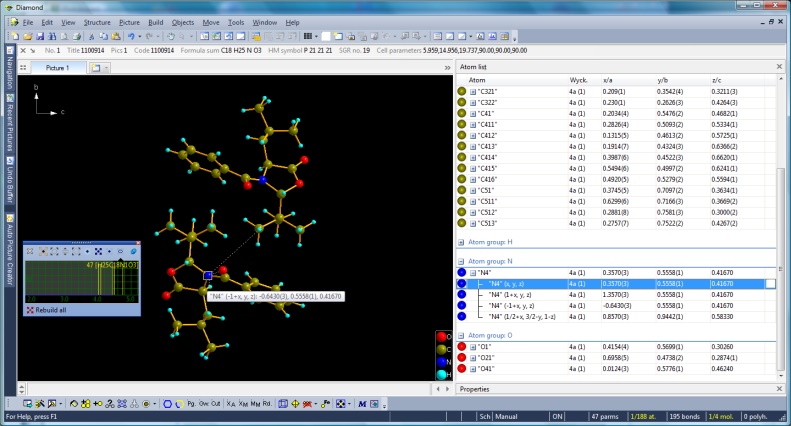
Screenshot of Diamond with atom list arranged by atom groups and sites
(Full size image: 294 KB)
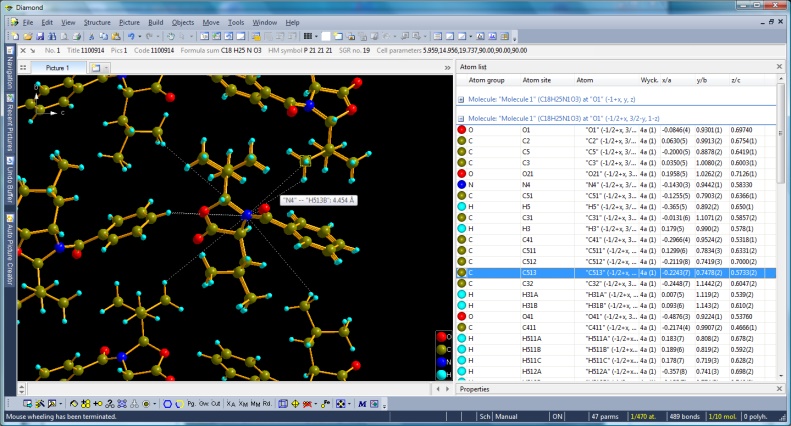
Screenshot of Diamond with atom list arranged by molecules
(Full size image: 383 KB)
Additional tables
Along with the well-known tables of atomic parameters, created atoms etc., there
are additional tables for:
- Created molecules (complete or at least fractional).
- Bond parameters, H-bond parameters, and non-bonding contact parameters.
The table of created bonds has been enhanced to differentiate between strong bonds
and other, weaker types of connections.
Atomic parameters dialog
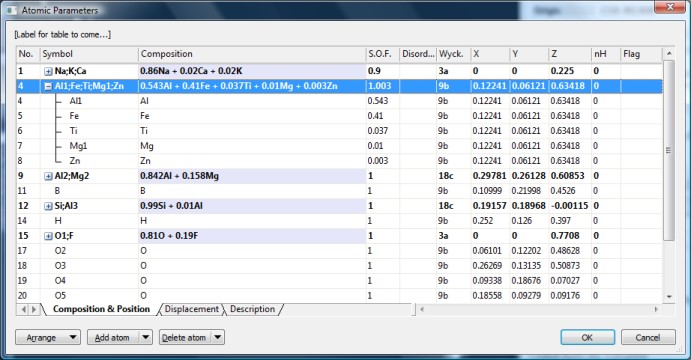
The atomic parameters dialog now shows the atoms as a report with the properties
(label, Wyckoff position, coordinates) in several columns and items directly editable.
Atoms can be arranged for sites (to group mixed site components). Symmetry-equivalent
positions are recognized and specially color-coded.
< Previous: Searching for structure data
Go to Diamond 4 Features Overview
Next: More new features >
|

 Search
